 Home PDF2HTML Document
Support
Articles
Products
Downloads
Home PDF2HTML Document
Support
Articles
Products
Downloads|
|
Acrobat to HTM Converter
|
A suite of programs developed by
Adobe Systems, Inc. for creating and distributing electronic documents. Programs
in the suite allow you to create a Portable document Format (PDF) file for a
document. You can then distribute the PDF file electronically to people who view
the document with the Acrobat Reader. The reader is the best known component of
the Acrobat suite and is freely distributed. People viewing a PDF file (or
document) with the Acrobat reader see the document with the exact layout
intended by the author. This is its main advantage over other electronic formats
such as HTML, where the layout can vary depending on the software being used.
In this article, Acrobat is point to the PDF file which generated by Adobe
Acrobat product.
What is HTML?
HTML is a computer language devised to allow website creation. These websites
can then be viewed by anyone else connected to the Internet. It is relatively
easy to learn, with the basics being accessible to most people in one sitting;
and quite powerful in what it allows you to create. It is constantly undergoing
revision and evolution to meet the demands and requirements of the growing
Internet audience under the direction of the ? W3C, the organization charged
with designing and maintaining the language.
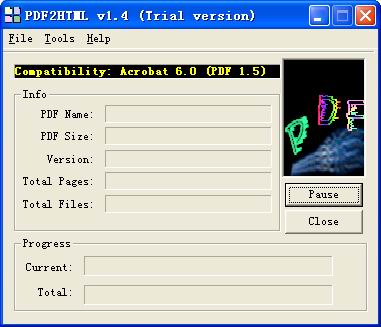
Acrobat to HTM instantly converts PDF files into
HTML documents that look just like the original - complete with all formatting and
images! Information is set free - free to be edited and free to be integrated into your documents. Acrobat to HTM is a standalone program and does not require Microsoft
Office, Adobe Acrobat, or even Acrobat Reader.
Acrobat to HTM is a batch PDF Converter that you can convert a lot of PDF files to
HTML documents once time! saving your time!
Acrobat to HTM Features:
Acrobat to HTM retains the layout of the original PDF document, creating a fully-formatted and editable HTML document. Acrobat to HTM separates text, columns and images, giving you amazing access to text and data. Best of all, Acrobat to HTM works with all industry-standard PDF files that were originally created from popular PC applications - including Microsoft Word, Quark and others. Click here to learn more..
VeryPDF.com |
VeryDOC.com |
VeryPCL.com |
Links | Contact
Copyright © 2002- VeryPDF.com, Inc. All rights reserved.
Send comments about this site to the webmaster.
 View
View